Dog clicker training: why your dog isn't reacting yet
You pressed the clicker and your dog ignored it. That isn't a faulty clicker or a stubborn dog. A click means nothing until your dog has learned what it predicts, and teaching that takes a few short sessions. Here is exactly how to do it, for free.
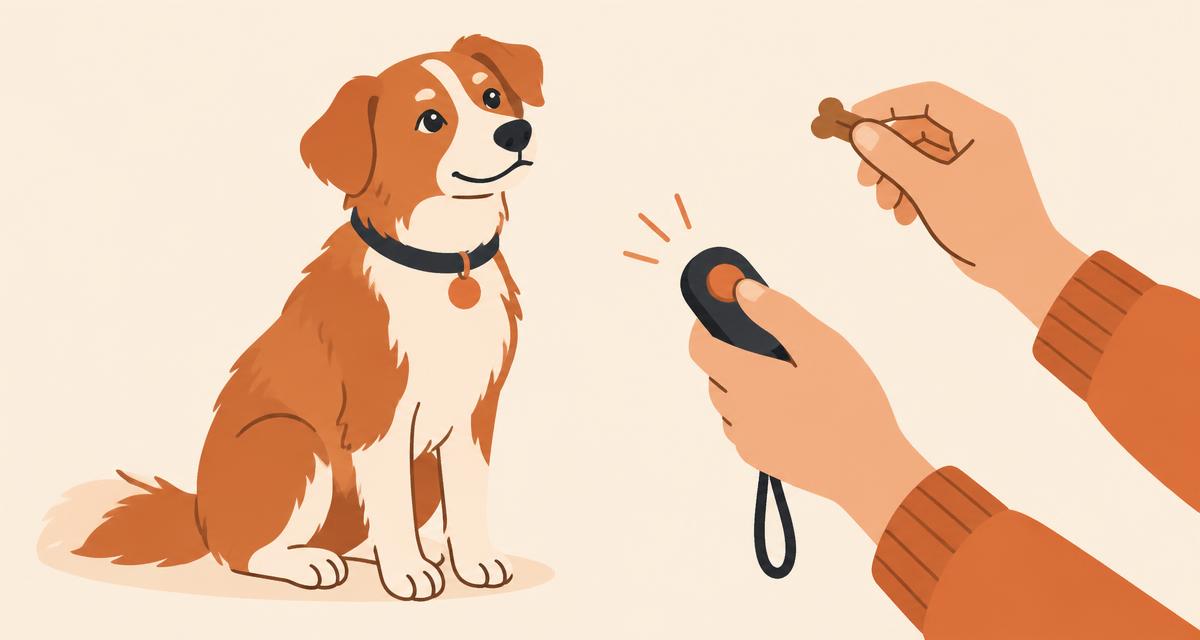
What a clicker actually does
A clicker is a marker. Its job is to tell your dog the exact instant it did the right thing. When your dog's bottom touches the floor in a sit, a click at that moment captures it precisely. A treat that arrives three seconds later, after you have fumbled in a pocket, arrives after your dog has already stood up, sniffed the floor and looked at the door. From the dog's point of view, any of those could be what earned the food.
The click bridges that gap. It is fast, it sounds the same every time, and it doesn't carry the emotion and variation of your voice. That consistency is what makes it so useful as a signal.
But none of that works until your dog has learned that a click reliably predicts food. Out of the box, a clicker is just a noise, and dogs ignore noises that don't lead to anything. This is the step almost every clicker guide and app skips, and it is the reason so many owners decide clicker training doesn't work for their dog.
How to charge a clicker
"Charging" or "conditioning" the clicker simply means pairing the sound with food until your dog connects the two. You don't ask your dog to do anything during this stage. You are only teaching the meaning of the sound.
- Prepare small, soft treats. Pea-sized pieces your dog can eat quickly work best, so you can do many repetitions without filling your dog up.
- Click once, then give a treat within about a second. The order matters: click first, then move your hand toward the food. If the treat appears before the click, your dog learns to watch your hand instead of listening.
- Repeat 15 to 20 times. Vary the gap between repetitions a little so your dog isn't just reacting to a rhythm.
- Keep sessions to a few minutes. Short, frequent sessions in a quiet room are better than one long one. Stop while your dog is still keen.
- Do this daily for two or three days. Some dogs connect the sound sooner, some need longer. The test below tells you when you are done.
The one rule you cannot break
Every click means food is coming, with no exceptions. Don't use the clicker to call your dog or get its attention, and don't click "by accident" without following up. A click that sometimes leads to nothing quickly stops meaning anything, and you are back to a noise your dog has learned to ignore.
How to tell if it worked
Wait until your dog is relaxed and not looking at you: sniffing the garden, settling on a bed, gazing out of the window. Then click once.
If your dog stops what it is doing and turns toward you, expecting food, the clicker is conditioned. Give the treat straight away, because that click still counts. You can now start using the click to mark behaviours you want.
If your dog carries on as if nothing happened, it hasn't made the connection yet. That is completely normal. Keep charging for another day and test again. There is no prize for rushing this step, and everything you teach later depends on it.
Dog whistle frequencies, honestly
Dogs can hear much higher pitches than people: roughly up to 45 kHz, compared with about 20 kHz for a young human, and less as we age. That is why a "silent" dog whistle can be audible to a dog while sounding faint or inaudible to its owner.
A phone is a different matter. Phone speakers are designed for speech and music, and they produce very little sound above about 16 kHz, whatever number an app displays on screen. To be plain about it: no phone produces true ultrasonic output, and any app that implies otherwise is overselling.
A practical frequency
Around 14 kHz is a sensible middle ground. It is inaudible or barely audible to most adults, yet phone speakers still produce it reasonably well. Our app shows an indicator when you choose a tone above the range a phone reproduces reliably.
We won't claim that any particular dog responds to any particular frequency. Like a clicker, a whistle is only a signal, and it means whatever you teach it to mean. Pair it with something your dog values and be consistent. Start at a low volume, never hold the phone close to your dog's ears, and stop if your dog seems uncomfortable.
The 14-day programme
If you would like a structured path rather than working it out alone, the app includes a 14-day training programme. It starts by charging the clicker properly, then moves through sit, down, wait and leave it, and finishes with proofing: practising each behaviour in new places and with more distractions, so it holds up outside your kitchen.
Each day takes five to ten minutes, and every day explains the reasoning behind the steps, not just the steps themselves. Knowing why you are doing something makes it much easier to adjust when your dog does something unexpected.
The clicker and whistle are free permanently, with no adverts. The first three days of the programme are free too. After that the programme is a subscription at $29.99 a year (with a 7-day free trial for eligible new subscribers) or $4.99 a week, charged in your local currency. You can cancel any time in your Apple account settings.
Frequently asked questions
Why doesn't my dog react to the clicker?
Because the click has not been given a meaning yet. To a dog, a new clicker is just a noise. It only becomes useful once the dog has heard it followed by food many times, over several short sessions. Charge the clicker first, then test it.
How long does it take to charge a clicker?
For many dogs, a few minutes a day over two or three days is enough: around 15 to 20 click-and-treat repetitions per session. Some dogs take longer. Use the test described above rather than a fixed number of days.
Can I use a clicker for an older dog?
Yes. Clicker conditioning relies on a simple association between a sound and food, which dogs of any age can form. Older dogs with reduced hearing may find a louder sound easier, and any dog with health concerns should be checked by a vet before starting new training.
Is a dog whistle safe for my dog?
A phone used at a sensible volume produces sound at levels similar to other everyday audio. Start quietly, don't hold the phone right next to your dog's ears, and stop if your dog seems distressed.
What frequency should a dog whistle be?
There is no single correct frequency. Around 14 kHz is a practical choice on a phone: most adults can barely hear it and phone speakers still produce it reasonably well. Above about 16 kHz a phone produces very little sound, whatever the number on screen says. What matters most is that your dog learns what the whistle means.
Do I need a clicker, or will a word do?
A short word such as "yes" can work as a marker too, once it has been charged the same way. A click has the advantage of sounding identical every time and of being distinct from everyday speech, which can make it clearer to the dog.
Is the app free?
The clicker and whistle are free, with no adverts, and stay free. The 14-day training programme is a subscription; the first three days of it are free to try.